Are you a Corporate Client or Need System Integration? Log in to our Embody Partner Portal for custom pricing

Internal SSD & HDD

SSD and hard drives that turn a slow computer into a responsive one.

Internal Storage: The Cheapest Upgrade

Replacing a mechanical hard drive with a solid-state drive is the single biggest speed-up for an ageing computer. Boot time drops from minutes to seconds, and applications launch instantly. NVMe M.2 drives are the fastest option for the operating system and active files; high-capacity HDDs remain cost-effective for archives and backups.

Will It Fit?

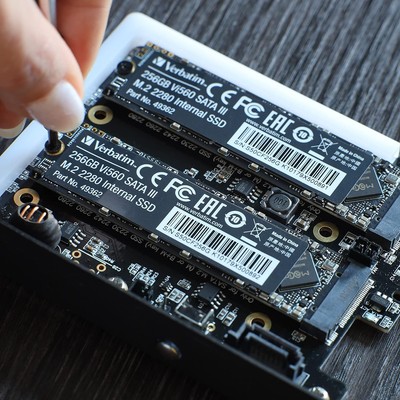
Before ordering, confirm whether your machine uses a 2.5-inch SATA bay, an M.2 slot, or both. We can look up your chassis and confirm compatibility, and we can image the new drive so the swap is seamless.

Home » Internal SSD & HDD
internal-storage.html product

Internal SSD and Hard Drives

Storage is where most ageing computers feel slow. Replacing a mechanical hard drive with a solid-state drive is the cheapest performance upgrade you can make: boot times drop from minutes to seconds, and applications launch instantly. We supply 2.5-inch SSDs, M.2 NVMe drives and larger hard drives for bulk storage.

For the operating system and active files, an NVMe SSD is the fastest option. For archives, backups and media libraries, a high-capacity HDD remains cost-effective. If you are refreshing a fleet, we can image the new SSD and migrate the old data so the swap is seamless. Tell us your chassis and we will confirm compatibility before you order.

Why buy internal storage from Embody IT

Genuine, reliable drives

NVMe and SATA SSDs plus HDDs from brands with real local warranty.

Real-world speed

NVMe upgrades that cut boot and load times dramatically.

Right drive, right slot

We confirm M.2 versus SATA and capacity before you buy.

How to choose internal storage

  • NVMe M.2 for speed; SATA SSD for cheaper capacity upgrades.
  • Confirm your slot type (M.2 SATA versus NVMe) before ordering.
  • 512GB is the minimum comfortable size; 1TB for games and media.
  • Cloning help available so your new drive boots like the old one.

Products in this category

Crucial 1TB P3 Plus NVMe M.2 SSD
Crucial
1TB P3 Plus NVMe M.2 SSD
MPN: CT1000P3PSSD
$139.00$99.00
Crucial 2TB P3 Plus NVMe M.2 SSD
Crucial
2TB P3 Plus NVMe M.2 SSD
MPN: CT2000P3PSSD
$219.00$169.00

Frequently asked questions about internal SSD & HDD

NVMe versus SATA, capacity planning and extending the life of existing PCs.

NVMe or SATA SSD for a business machine?

NVMe is several times faster than SATA and is the default for new builds; SATA SSD is still a massive upgrade over a hard drive and fits older machines without an M.2 slot. We choose by the motherboard and the workload, not by habit.

How much capacity should we standardise?

For office use 512GB covers the OS, apps and local files with headroom; 1TB suits media, design or local-data roles. We keep one or two standards so procurement and imaging stay simple.

Can you fit an SSD to an existing three-year-old PC?

Often yes, and it is the cheapest performance upgrade available: boot drops from minutes to seconds and the machine feels new. Combined with a RAM bump it can add two productive years before replacement. We assess the chassis first.

What happens to the old drive and its data?

We can clone the old disk to the new one so nothing is lost, or securely wipe and retire it. For end-of-life drives we offer certified destruction so data does not walk out the door.